
Add songs and folders
Import music incrementally, see added and duplicate counts, and cancel a longer scan. Songs with matching tags remain separate recordings.
FREE PREMIUM · WINDOWS · LOCAL MUSIC
Enjoy your music without the clutter. Add songs or folders, build playlists and fine-tune the sound. No ads. No music subscription.
Your original music files stay where they are. Embedded album covers and local song, album or artist images are supported at no additional cost.
YOUR MUSIC, YOUR WAY
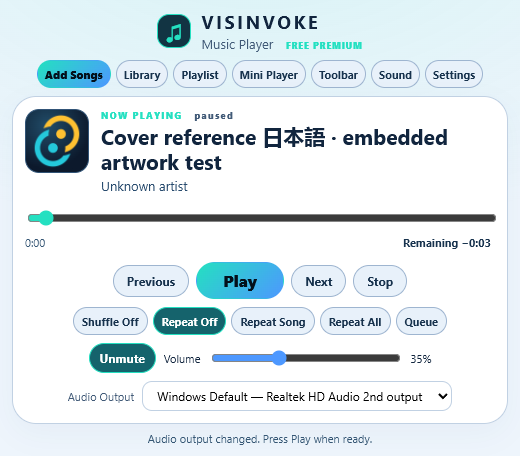
Choose songs, choose a folder or drop local music into the player. The library references your recordings without uploading or moving them.
Import music incrementally, see added and duplicate counts, and cancel a longer scan. Songs with matching tags remain separate recordings.
Search songs, artists and albums. Keep missing-track references instead of losing playlist entries when a drive is disconnected.
Play, pause, seek, go back or skip ahead. Read elapsed time and switch the right-hand clock between remaining and total time.
Once installed through VISINVOKE, playing local music does not require internet access or a second music account.
PLAYLISTS MADE EASY
Open Playlist to show your songs directly beneath the player. Add one song or several with Add Songs. Check songs and choose New Playlist from Selection to save them together. Hide the list whenever you want just the player.
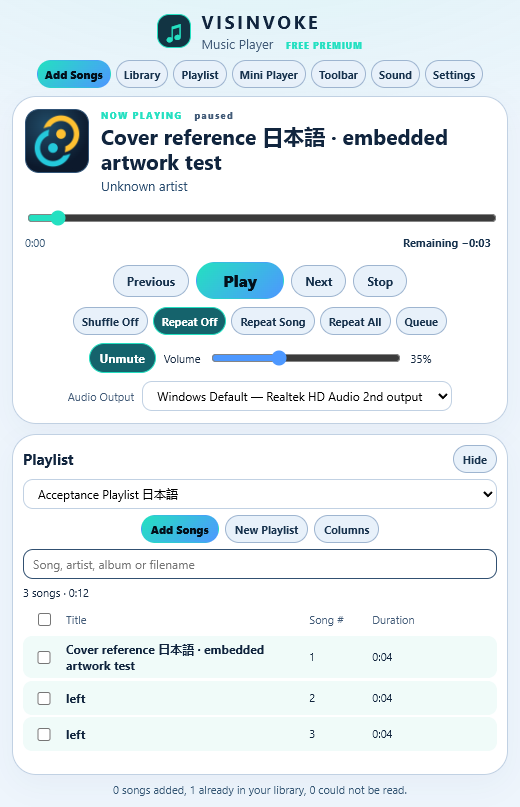
Shuffle the current selection and use actual playback history to go back. Choose Repeat Off, Repeat Song or Repeat All.
Export M3U8 playlists or a portable playlists-and-settings backup. Review merge or replace before restoring. Removing a playlist never deletes its music files.
SOUND THAT SUITS YOU
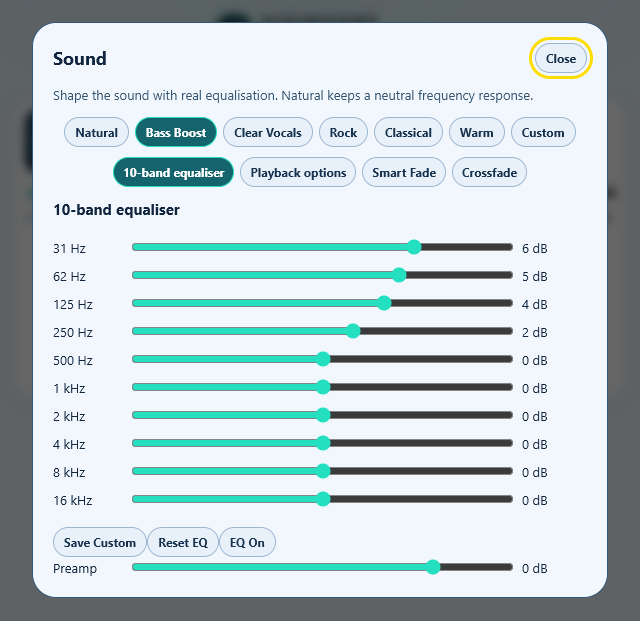
Choose Natural, Bass Boost, Clear Vocals, Rock, Classical, Warm or Custom. Open the 10-band equaliser when you want more control.
Tested decoding includes MP3, FLAC, WAV, AAC-LC/M4A, Ogg Vorbis, Opus, AIFF and ALAC. Protected recordings and unsupported channel layouts cannot be played. Optional levelling uses valid gain metadata; unmeasured songs keep neutral gain.
MINI PLAYER
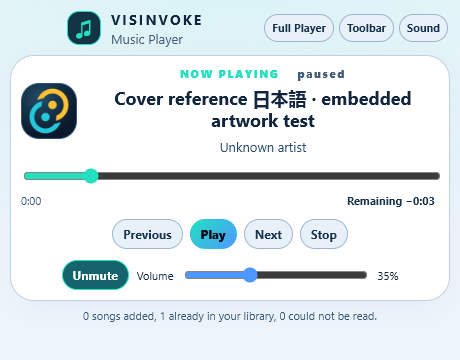
Keep a compact player nearby, with track identification, transport, progress, time and volume. One clear button returns to the full player.
Floating Toolbar is a separate capsule view. Choose horizontal or vertical controls, customise their order, move or dock the capsule and save its monitor position. Lock placement, enable auto-hide or keep it Always on Top without interrupting playback.
Minimising keeps music playing. Closing the full or Mini Player stops playback and saves its context. Closing the floating toolbar returns to the full player while music continues. Reopening the application restores safely paused.
FREE WITH VISINVOKE
Create your standard free VISINVOKE account, get Desktop Command Centre from your account and open Music Player on Windows. There is no separate music-player account, subscription, credit balance or advertising.
Playlists and settings stay in your Windows user profile. Lightweight backups contain file references, rather than copies of your music collection.